

Restaurant inventory software helps operators track food cost, standardize processes, and improve visibility across every location as part of a complete restaurant inventory management system. As restaurant operations grow, inventory becomes harder to manage consistently across stores, teams, and systems. This page explains how inventory software works and why multi-unit operators rely on a connected system to stay in control.
Restaurant Inventory Management Software for Multi-Unit Operations

Restaurant Inventory Software for Multi-Unit Operators
Why Inventory Management Breaks Down in Daily Operations
Inventory issues rarely start in reports—they start in daily operations.
- A manager rushes through a count before a shift.
- Another store counts the same item differently.
- Vendor prices change, but no one updates them.
- Prep teams overproduce “just in case.”
Individually, these may seem small. Across multiple locations, they compound quickly. This level of visibility is what makes food inventory management more accurate and reliable across locations.
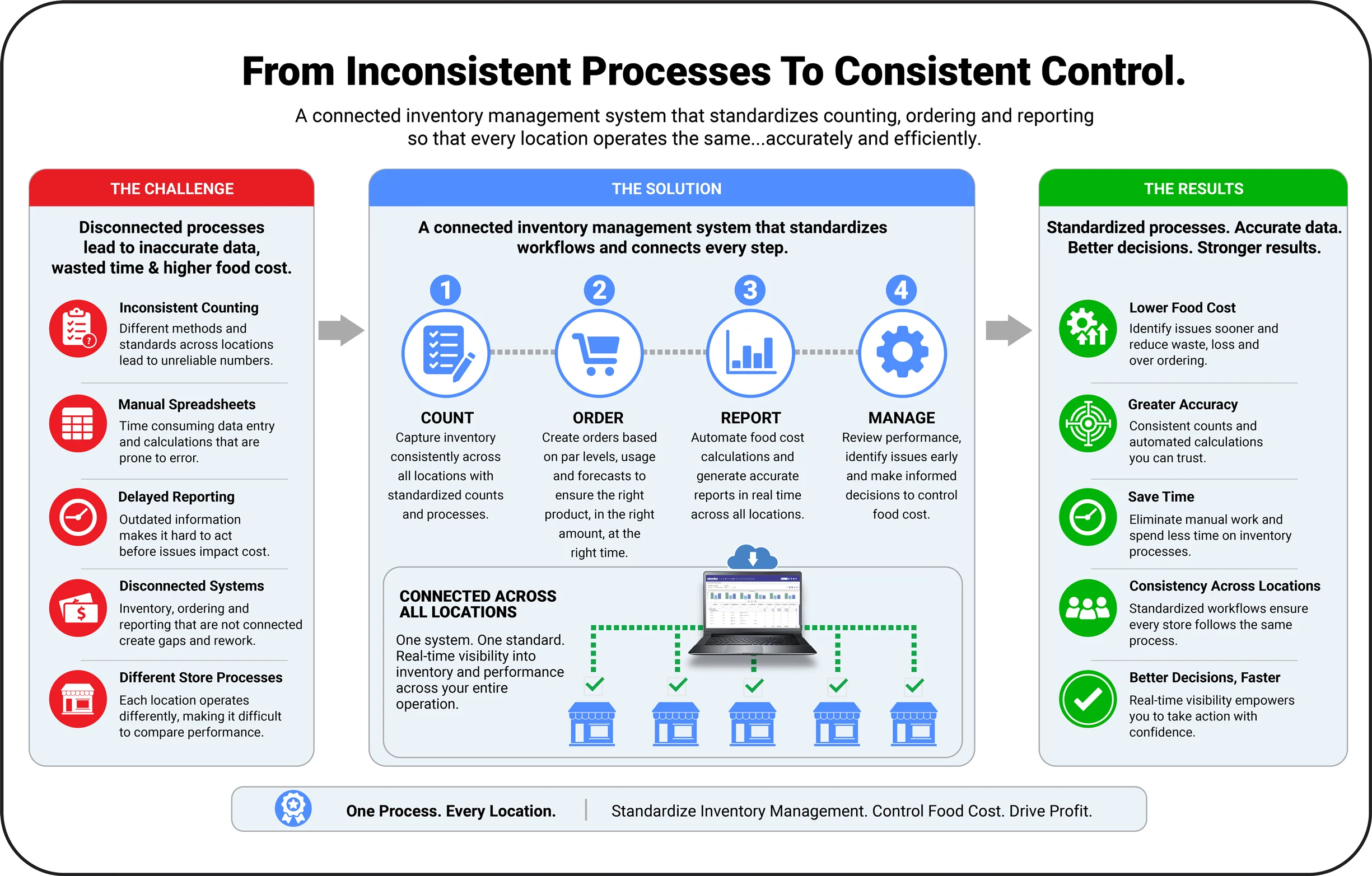
Restaurant Inventory management becomes inconsistent, time-consuming, and unreliable when each location operates differently and data isn’t connected in real time.
Without a structured system, operators are left with unreliable numbers—and when the numbers aren’t reliable, neither are the decisions.
What Restaurant Inventory Software Actually Does
A restaurant inventory management system should do more than track counts, it should support how operations actually run. A connected system simplifies inventory management for restaurants by bringing counting, ordering, and reporting into one streamlined process.
A connected system allows teams to capture inventory consistently, automate calculations, and connect data across locations and workflows. A strong inventory management software for restaurants connects daily counts, ordering, and reporting into one system.
With the right approach, operators can:
- Capture inventory quickly and consistently across all locations
- Automate food cost calculations without relying on spreadsheets
- Standardize processes so every store follows the same structure
- Connect inventory, ordering, and reporting into one system
This creates a system where teams spend less time managing data—and more time managing the business.
How Inventory Software Improves Food Cost and Operations
How Inventory Software Improves Food Cost and Operations
Inventory software directly impacts how well operators control food cost and run daily operations.
With a connected system, restaurants can:
- Improve food cost control by identifying issues earlier
- Reduce time spent on manual processes and corrections
- Increase accuracy across inventory counts and reporting
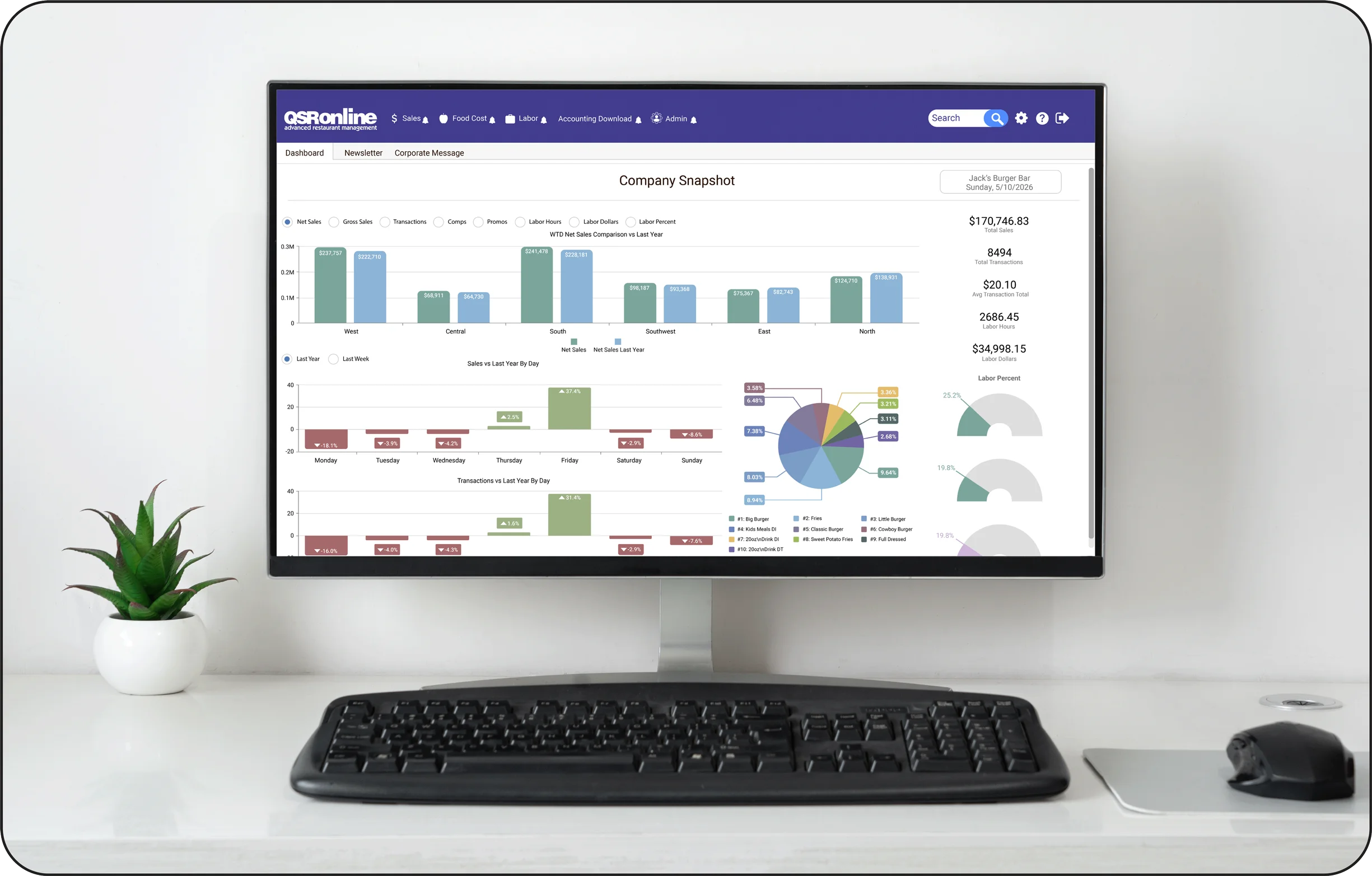
- Gain visibility into performance across all locations
Instead of reacting to problems after they happen, operators can take action earlier, before food cost impacts margins..
See how restaurant inventory software can help you control food cost across locations.
Managing Inventory Across Multiple Locations
Inventory becomes significantly more complex as operations expand.
What works at one location often breaks across five, ten, or more. Differences in processes, timing, and execution create inconsistent data and unreliable reporting.
A system designed for multi-unit operators solves this by:
- Standardizing inventory processes across every location
- Ensuring consistent data collection and reporting
- Providing real-time visibility into performance
- Allowing operators to compare and manage locations effectively
- This allows teams to build a consistent inventory process for restaurants across every location.
This level of consistency is what allows growing restaurant groups to maintain control as they scale. A centralized restaurant stock control system ensures every location follows the same structure.
Current Inventory Methods vs a Connected System
Many restaurants still rely on manual processes, spreadsheets, or disconnected tools to manage inventory.
While these methods may work at a small scale, they become difficult to maintain as operations grow. This is where restaurant inventory control becomes difficult without a connected system.
Common challenges include:
- Inconsistent processes between locations
- Time-intensive manual data entry
- Delayed reporting and limited visibility
- Difficulty managing inventory across multiple stores
A connected inventory system replaces these challenges with:
- Standardized workflows across locations
- Automated processes and calculations
- Real-time reporting and visibility
- A centralized system built for multi-unit operations
The difference is not just better tracking—it’s better control.
Schedule a demo to see how a connected inventory system can improve your operations.
What You Can Expect
What You Can Expect
With a structured inventory system in place, operators typically:
- Reduce food cost variance
- Save hours each week on inventory processes
- Improve consistency across locations
- Catch issues earlier
- Make faster, more informed decisions
The result is a more efficient operation and more predictable margins.
Learn More About Restaurant Inventory Management
- Restaurant Inventory Software vs Spreadsheets
- Restaurant Inventory Software vs Manual Tracking
- How to Do Restaurant Inventory (Step-by-Step)
If your current process relies on spreadsheets, manual workflows, or disconnected tools, there is a better way to manage inventory across your operation.
Book a demo to see how you can standardize processes, improve visibility, and control food cost across every location.